- Up to 32,768 codes per batch, generated instantly — create multiple batches for larger runs. (Why exactly 32,768? Each code’s serial number occupies 3 characters of the 32-character code alphabet, and 32³ = 32,768 — keeping codes as short as possible.)
- Codes are cryptographically signed — they can’t be guessed or counterfeited, and Rigaly doesn’t need to store them individually. Counterfeiting attempts are counted per batch (
failed_attemptsin the stats) and you can deactivate a batch at any time. - You’re only charged the per-transaction fee when a code is actually redeemed. Printing a million caps costs you nothing in Rigaly fees until customers start claiming.
- Codes are human-friendly:
SUMMER-595Y-003-GGC-98R— just 13 characters to type (the prefix and hyphens are optional), no ambiguous characters (no I/L/O/U), case-insensitive.
1. Create a batch
2. Export the codes for production
Download the full list as CSV (columnscode,serial,deep_link) and hand it to your printer or packaging manufacturer. Exports stream and finish in seconds even for a full batch, and can be re-downloaded any time.
3. Print each code as a deep-link QR (required)
A bare code printed on a bottle cap is meaningless out of context — customers won’t know what it’s for or where to enter it. Always print the QR code of thedeep_link URL the export gives you for every code:
deep_link is already QR-optimized: uppercase (QR’s dense alphanumeric mode) and carrying only the 13 essential characters — no prefix, no dashes — so every batch’s QR fits a 29×29 matrix with level-Q error correction (25% of the print can be damaged and still scan), whether or not the batch uses a prefix. Print the formatted code column (SUMMER-595Y-003-GGC-98R) next to the QR — that’s the human-facing version for support calls and manual entry.
Scanning it with any phone camera does the right thing automatically:
- Rigaly app installed → the app opens with the code pre-filled, one tap to claim.
- App not installed → an install page opens (App Store / Google Play); after installing, the customer can claim the printed code.
- Scanned on a desktop → a page shows the code and a QR to continue on the phone.
Generate the QR images
Any standard QR library works — feed thedeep_link column straight in, one image per row:
HTTPS://LINK.RIGALY.COM/CODE/595Y003GGC98R:
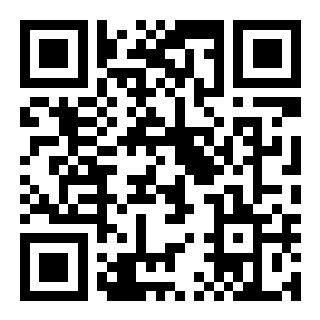
Demo QR for https://link.rigaly.com/code/595Y003GGC98R — it opens the Rigaly app (or the install page), but the demo code itself isn't claimable.
4. Customers claim in the Rigaly app
No integration needed on your side: customers scan the QR (or type the code) and the points land instantly — tier multipliers included. Each code works exactly once.5. Monitor and manage
Billing
Unredeemed codes never cost anything — ideal for mass-produced items where only a fraction of codes get claimed.